> For the complete documentation index, see [llms.txt](https://build.yourownrobot.ai/llms.txt). Markdown versions of documentation pages are available by appending `.md` to page URLs; this page is available as [Markdown](https://build.yourownrobot.ai/5.-mounting-the-arms.md).
# 5. Mounting the Piper Arms
This section covers mounting the Piper arms to the YOR base using the YOR Piper arm attachment plate.
After all the motors are updated and configured correctly, we now move on to mounting the arms on the [Piper Arms attachment plate](https://drive.google.com/file/d/1Atg4aZnIYiiF9OHxO3UI7b0Fv37e5vMs/view?usp=sharing).
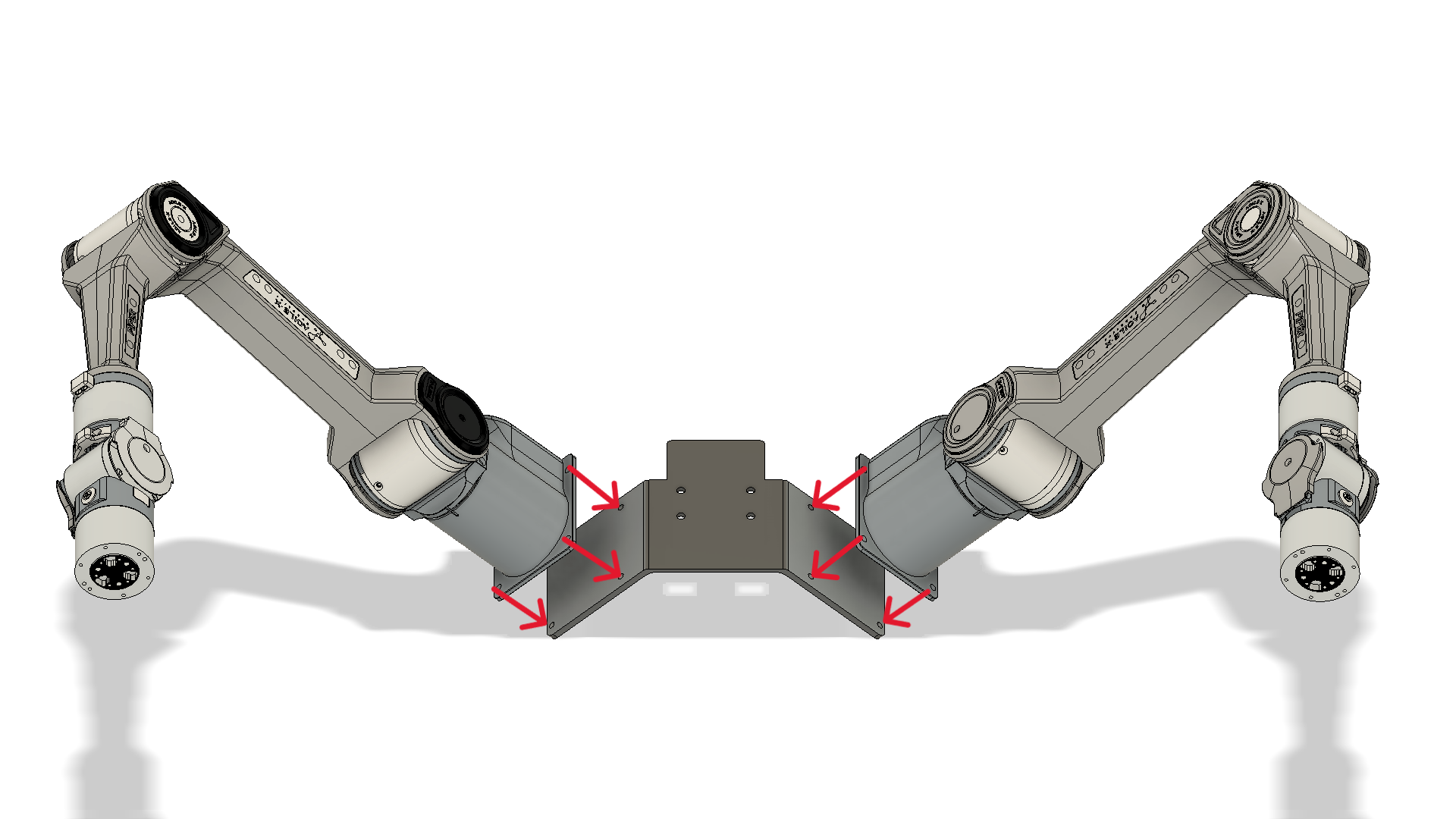
Take the 4.7 mm stainless steel mounting plate and attach the two Piper arms using eight M5 × 25 mm hex bolts and M5 lock nuts. Tighten the fasteners using a ratcheting wrench with an M5 socket and an M5 Allen key.
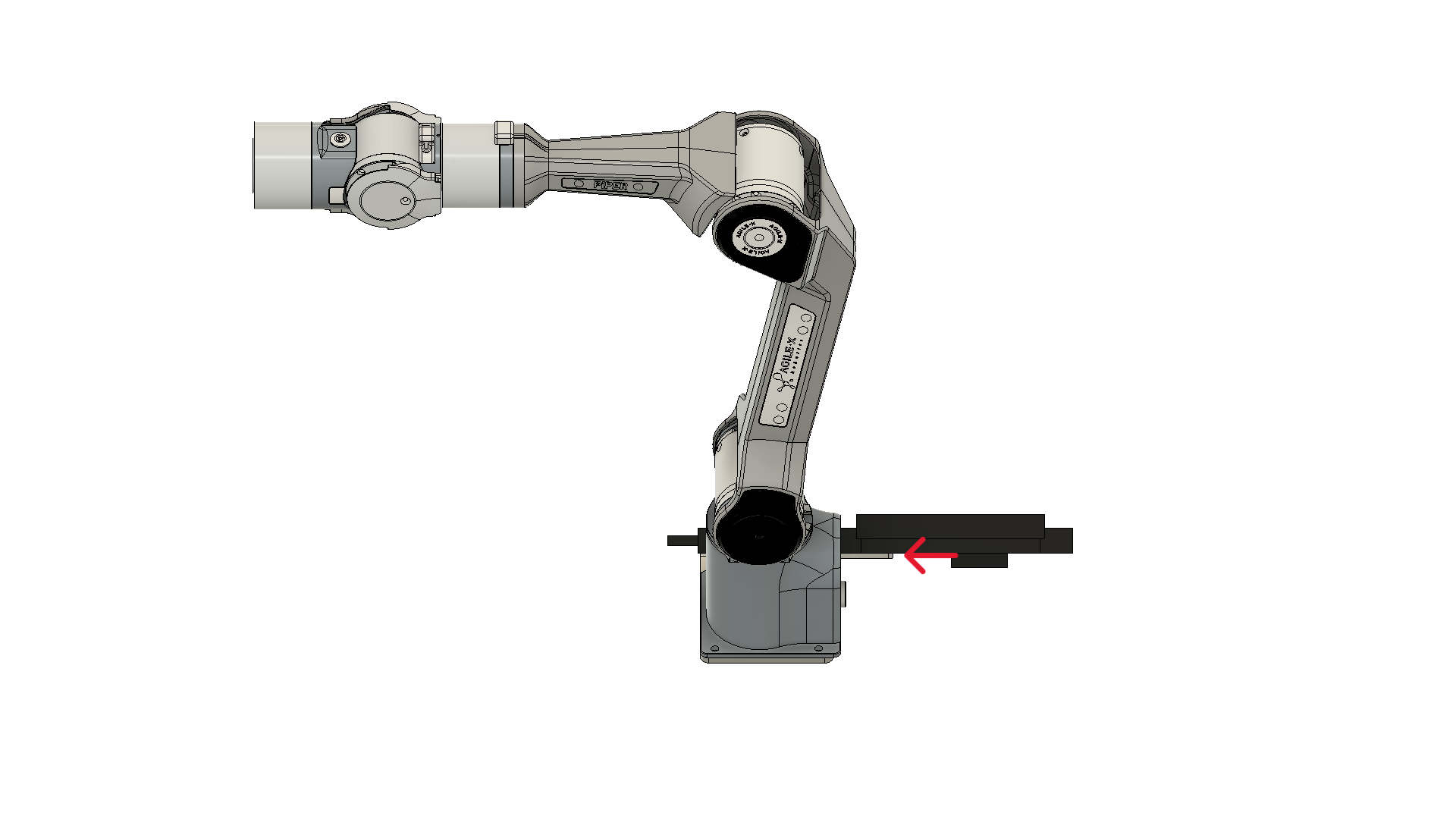
**Note: Make sure orientation of the arms is exactly as shown in the figure.**
**Note: Only the arm orientation differs; all other steps are identical for both the Nero arms and the Piper arms.**
Now attach the Jetson mount to the arm plate by sliding the slot on the Jetson mount into the arm plate.
Now, we mount the arms to the lift using the four holes on the arm plate, we need the B screws that comes with the lift and M6 washers. Put the washer in and mount the arms plate using four B screws from the lift pack as shown in the figure.
Now attach the ZED mount and the top cable tray using four M4 × 25 mm hex bolts and nuts. Slide the ZED mount into position as shown in the reference image, then secure it using two M4 hex bolts and nuts. Secure the top cable tray using the remaining two M4 × 25 mm hex bolts.
Now attach the ZED 2i and mount the Orin on top.
Once these steps are complete, YOR should match the configuration shown in the reference image.
Now we can attach the ZED 2i and mount the Orin on top.
.png?alt=media)
.png?alt=media)
.png?alt=media)