> For the complete documentation index, see [llms.txt](https://build.yourownrobot.ai/llms.txt). Markdown versions of documentation pages are available by appending `.md` to page URLs; this page is available as [Markdown](https://build.yourownrobot.ai/2.-base-assembly.md).
# 2. Base Assembly
Assemble all swerve drive units before integrating them into the base.
### Step 1. Setting up the base extrusions
Take both 10-inch aluminum extrusion pieces and slide four M6 Extrusion nuts into the extrusion channels, as shown in the reference image.\
Ensure the nuts are fully seated inside the slots and oriented correctly for later assembly.\
Repeat this process for both 10-inch extrusions.
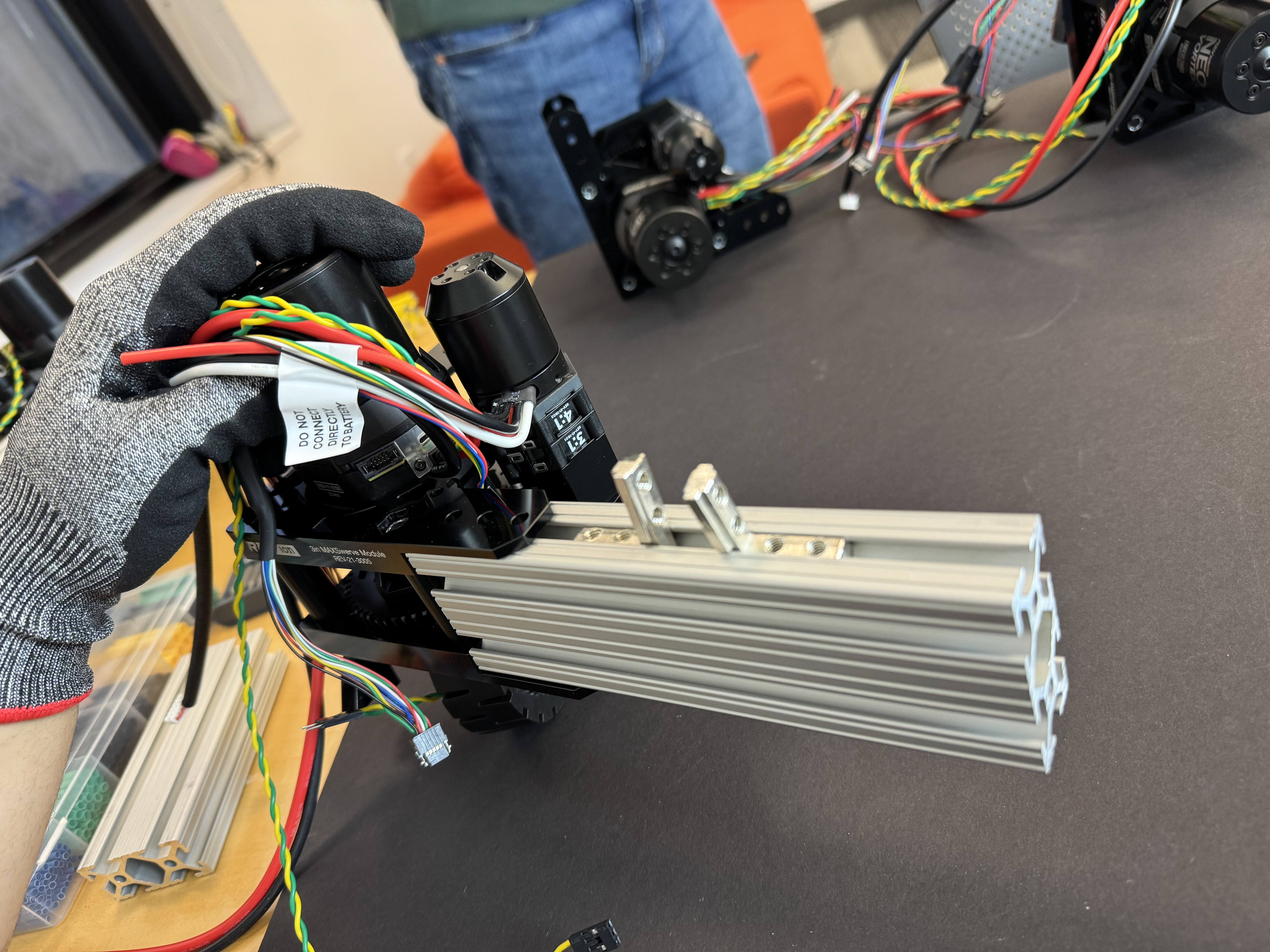
Take the 6.5-inch aluminum extrusion and insert two M6 Extrusion nuts along with two aluminum extrusion L-shaped inside corner brackets, as highlighted in the reference image.
Using a Sharpie, mark the center of the 6.5-inch extrusion on the inside face where the nuts are located.
Make sure the nuts and corner brackets are positioned correctly before proceeding to the next step.
Marking the Center of the 6.5 inch extrusion will help in further steps.
### Step 2. Attaching the Swerve Drive
Now take one left swerve drivetrain and attach it to one end of the 6.5-inch extrusion using M5 Extrusion nuts and screws, with three fasteners at the top. Ensure that the motor wires are oriented toward the extrusion.
Attach one right swerve drivetrain to the opposite end of the same extrusion.
During this assembly, make sure that the M6 Extrusion nuts inserted in Step 1 are facing toward the inside of the base.
### Step 3. Assembling the Base
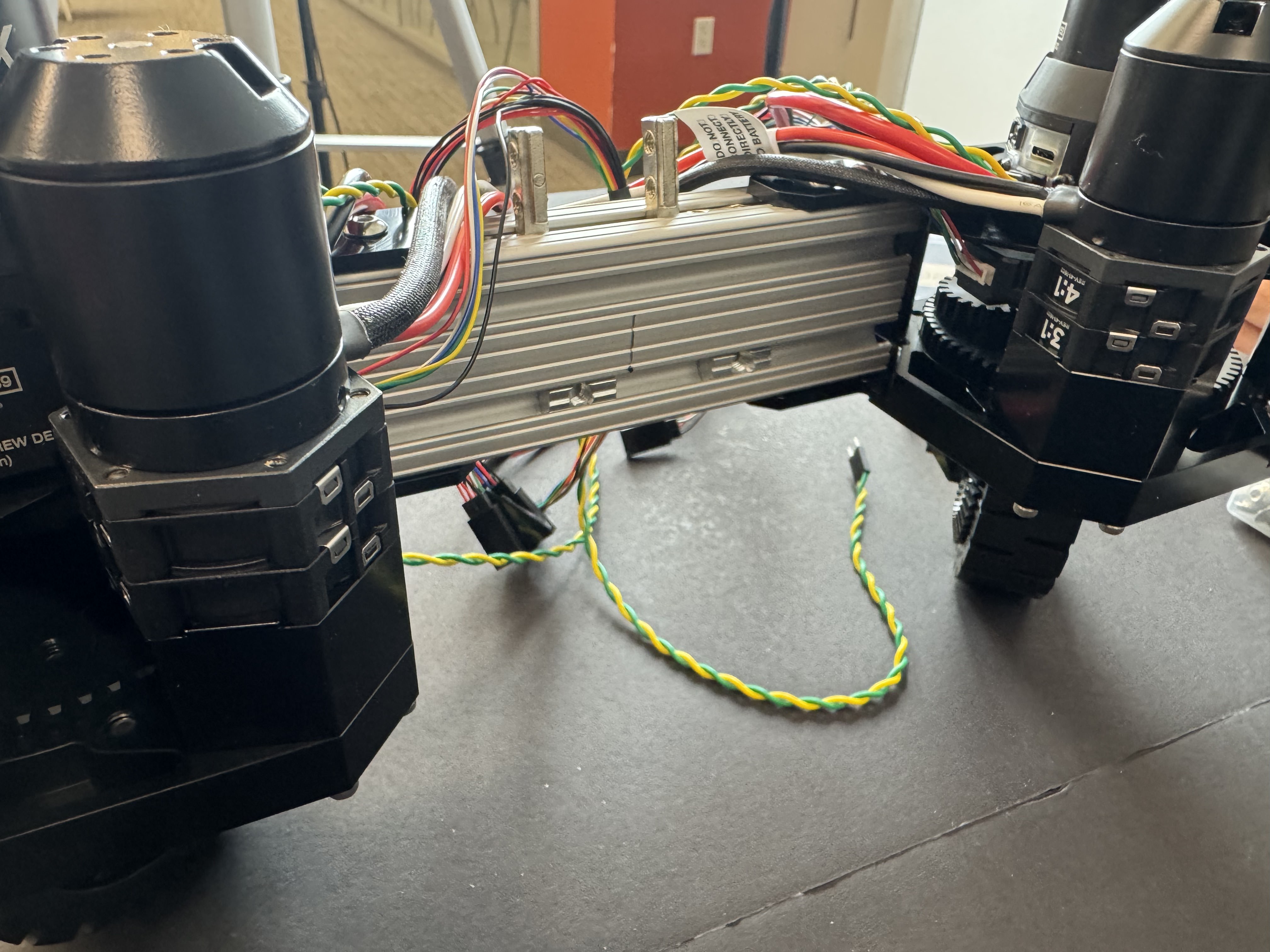
Now attach the 10-inch extrusions using the three M5 Extrusion nuts at the top. The completed base should match the reference image, with the nuts facing toward the inside of the base and the motor wires pointing toward the 6.5-inch extrusion.
**Note: When attaching the motors to the extrusions, ensure that the motor wires exit toward the 6.5-inch extrusion. Two motors are left-oriented and two motors are right-oriented. Make sure the left-oriented motors are mounted diagonally opposite each other, and likewise for the right-oriented motors.**
### Step 4. Assembling the center support extrusion
Mark the center on the base extrusions, all four as well as the 15-inch long extrusion. Now mark 2.2cm (0.85 in) from the center on each side. Insert 2 M6 Extrusion nuts on each side in the 15 inches long extrusion as shown in the pictures.
Also mark the center of each edge.
Put nuts on the other side as well.
Take eight M6 washers, eight M6 screws, and four 90-degree clamps, and attach the clamps to both sides of the 15-inch extrusion.
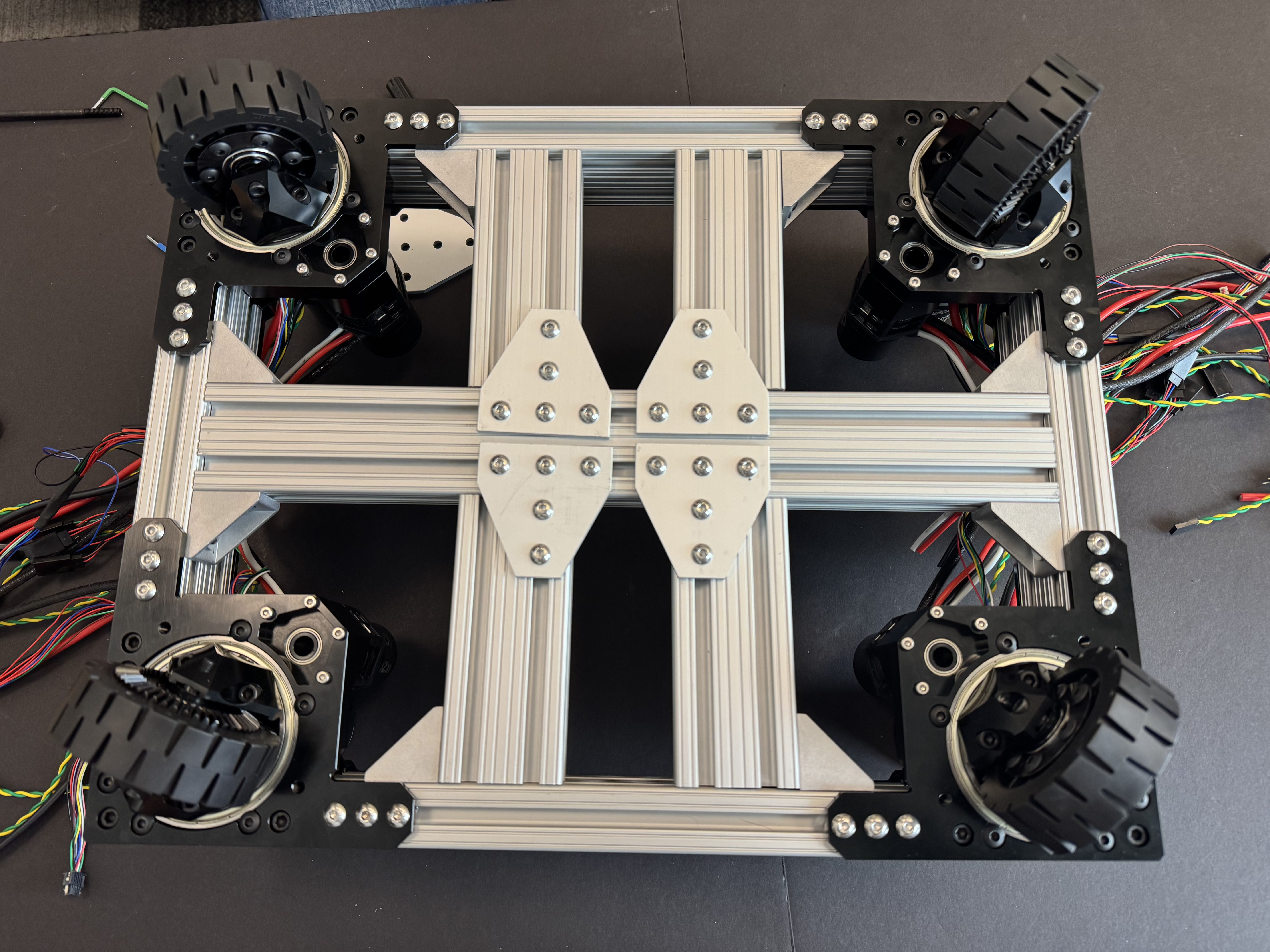
Next, attach the entire 15-inch extrusion assembly onto the base. Place the ends of the 15-inch extrusion onto the 6.5-inch extrusions, ensuring that the center of the 15-inch extrusion aligns with the center mark on the 6.5-inch extrusion. Refer to the image for proper alignment.
Note: While attaching the 90-degree clamps, keep the screws slightly loose so the clamps can move freely. Align all center marks first, then fully tighten all screws.
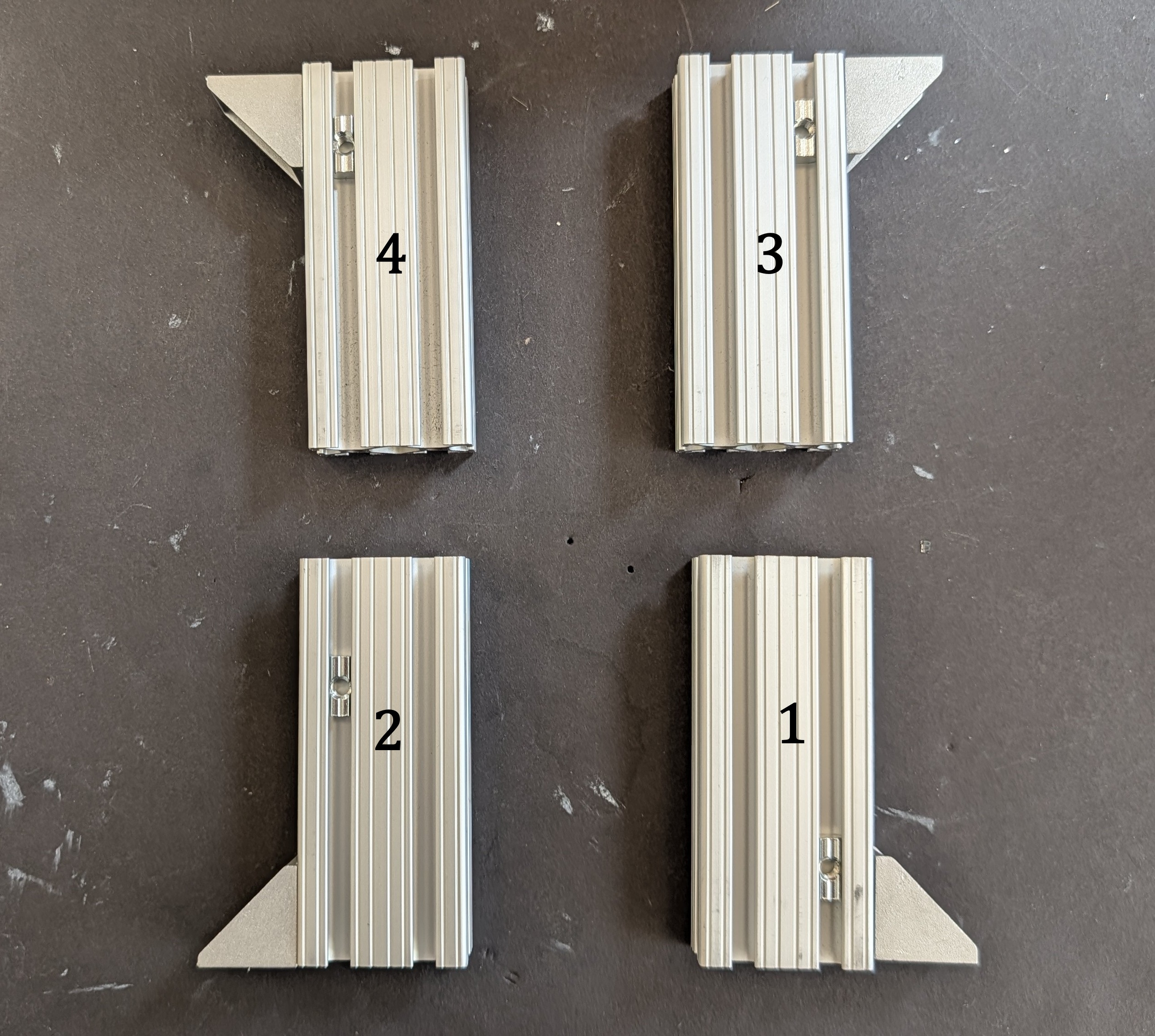
Prepare all 4.75-inch connectors by attaching a 90-degree clamp using an M6 extrusion nut and washer, as in the previous step. Also insert an additional M6 extrusion nut as shown in the reference image; this will be used for mounting the lift.
Flip the base assembly.
Attach the 4.75-inch extrusions to the 15-inch and 10-inch extrusions using the alignment markings from the earlier step, following the numbering shown in the reference image. Ensure that the additional extrusion nut is oriented toward the motor side and not the wheel side.
Now attach the T plates as shown in the figure, take your time going back and forth with the alignment making sure that you get it right, as these center extrusions will hold the lift so, make sure they are flush with the outer edges and perpendicular and flat. Also attach the bottom 6 M5 screws and nuts for each wheel.
Make sure screws are tight and secure.
Now flip the base back onto its wheels, and you’re all set to start mounting the rest of the components.
.jpg?alt=media)
.jpg?alt=media)
.jpg?alt=media)
.jpg?alt=media)
.jpg?alt=media)
.jpg?alt=media)