Keep the base frame assembled and set aside, ready for the installation of additional components.
Note: You can mount the lift in first (probably easier to do it first)Step 4, but we chose to do it after wiring up the fuse box.
Step 1. Motor controller mount (3D-printed plate +Buck converter mount)
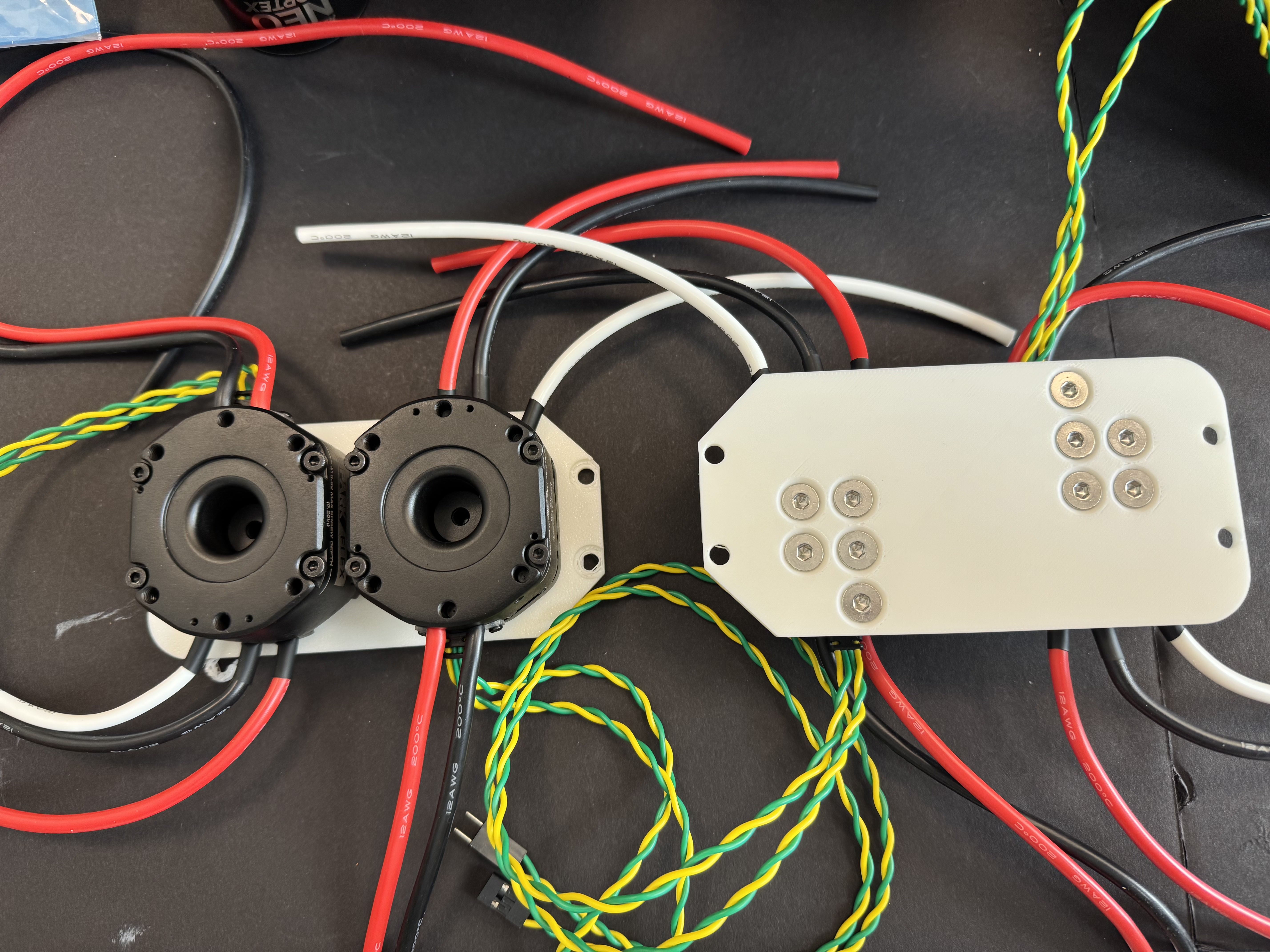
Take the 3D-printed motor controller mount plate and the motor controller. Using five 10-32 countersunk screws, attach the motor controller to the mount plate and fully tighten the screws. Repeat the step for both the sides.
Four Motor Controllers with the 2 3D-printed plates.
Mount the controller and plate assembly onto the aluminum extrusion, align it properly, and then tighten all fasteners.
Attach the buck converter mount onto the mount plate using four 10-32 countersunk screws.
Step 2. Wiring the motors and motor Controllers
Note:The main goal of routing the wires is to make sure they never come into contact with the spinning motors of the swerve drive. You can route the wires as needed, as long as you are confident they will not touch the motors while Yor robot is running.
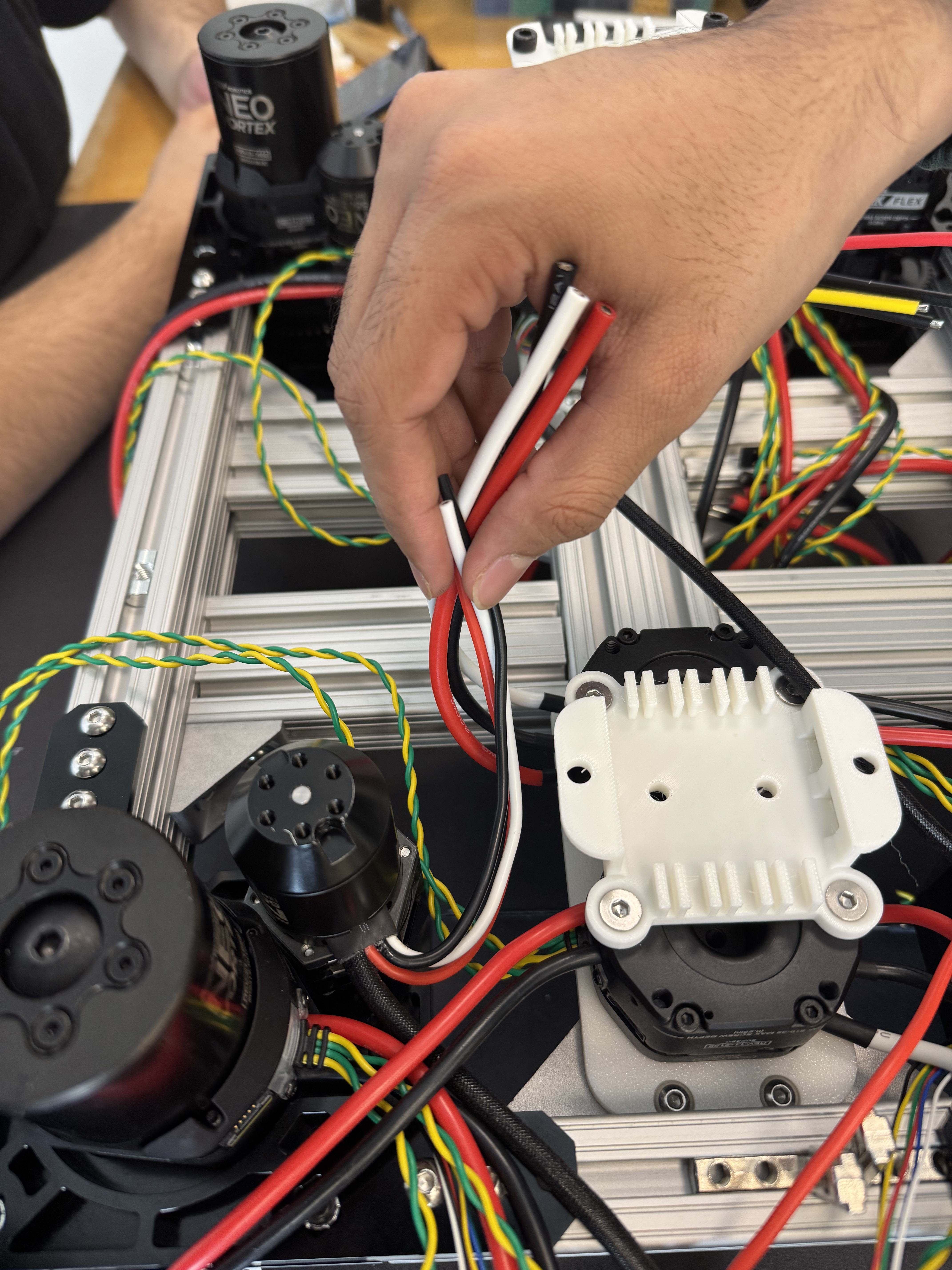
Cut the motor controller output wires to minimize slack and ensure they cannot come into contact with the spinning motors.
Connect the controller-to-motor power wires for all four rotational motors (the smaller ones).
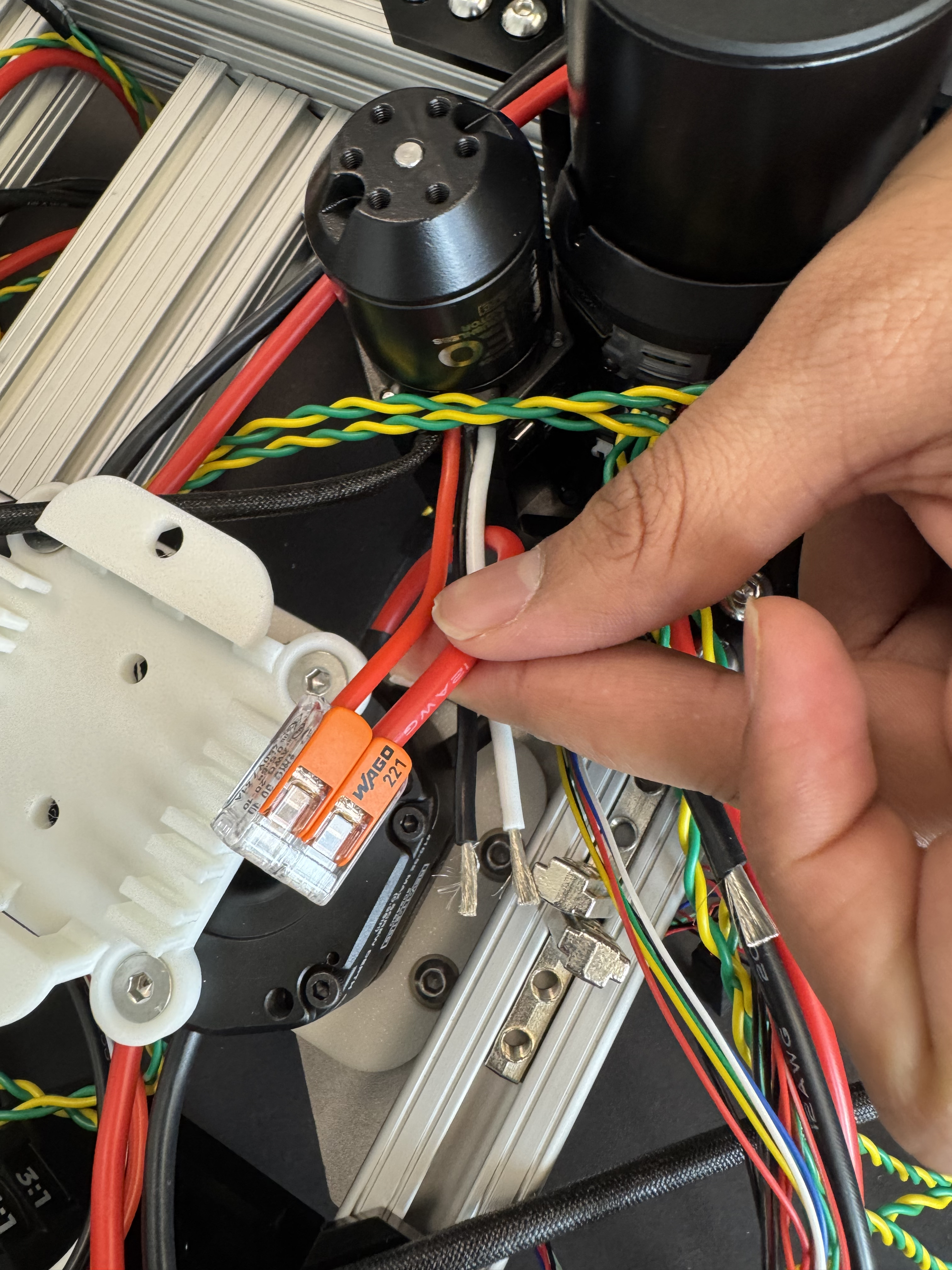
Strip the insulation from both the controller wires and the motor wires. Connect the wires using Wago 2 conductor connectors, matching colors exactly:
Black → Black, White → White, Red → Red.
Neatly tuck and secure the connected wires so they remain clear of all moving motor components.
Repeat this procedure for all four motors. Refer to the reference image for proper routing and placement.
Give the connector a firm pull to make sure it is securely connected.
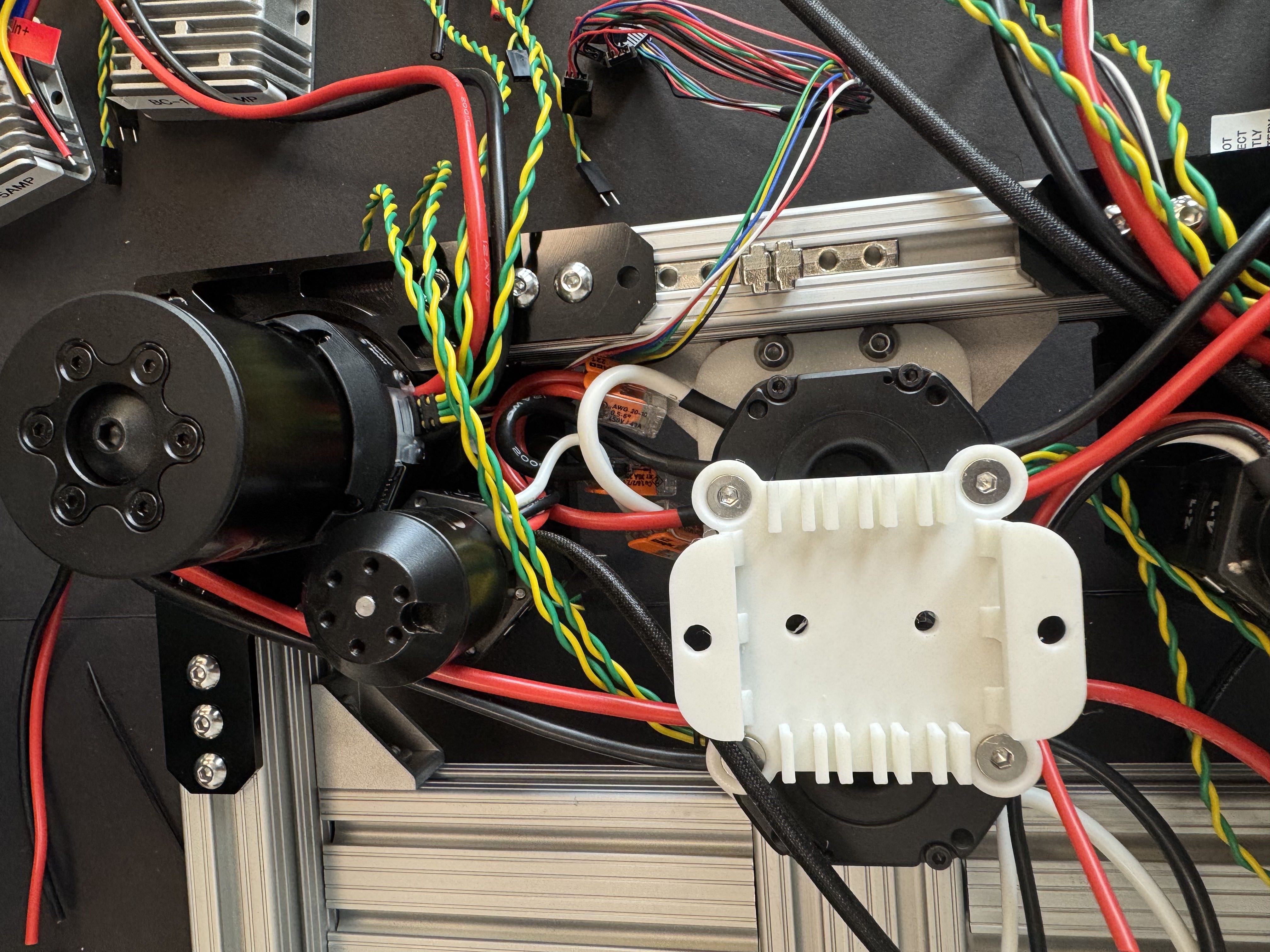
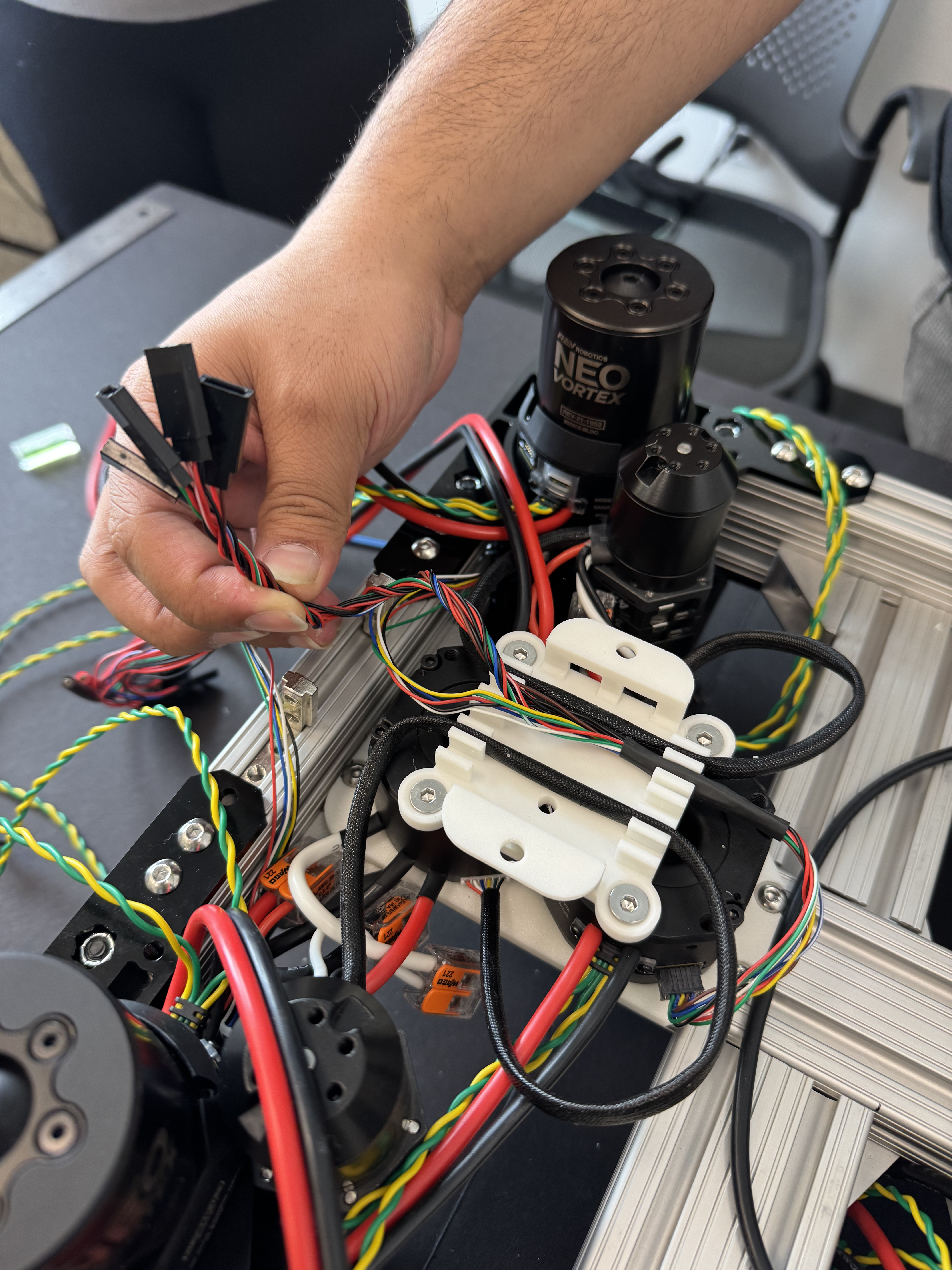
Plug each wheel rotational motor’s encoder feedback wire into the corresponding encoder port on the motor controller, making sure each motor is matched to the correct port. Repeat this for all four motors.
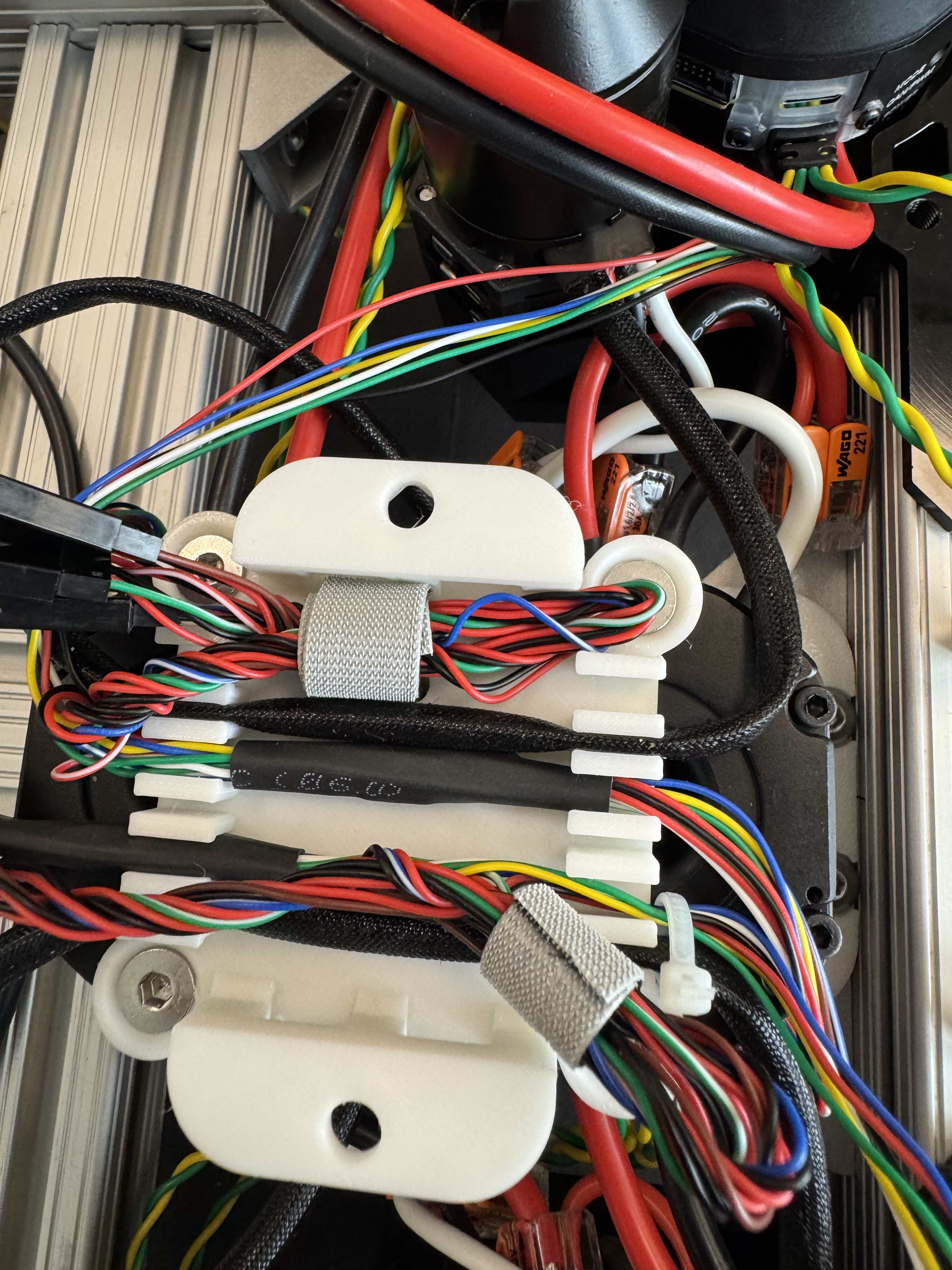
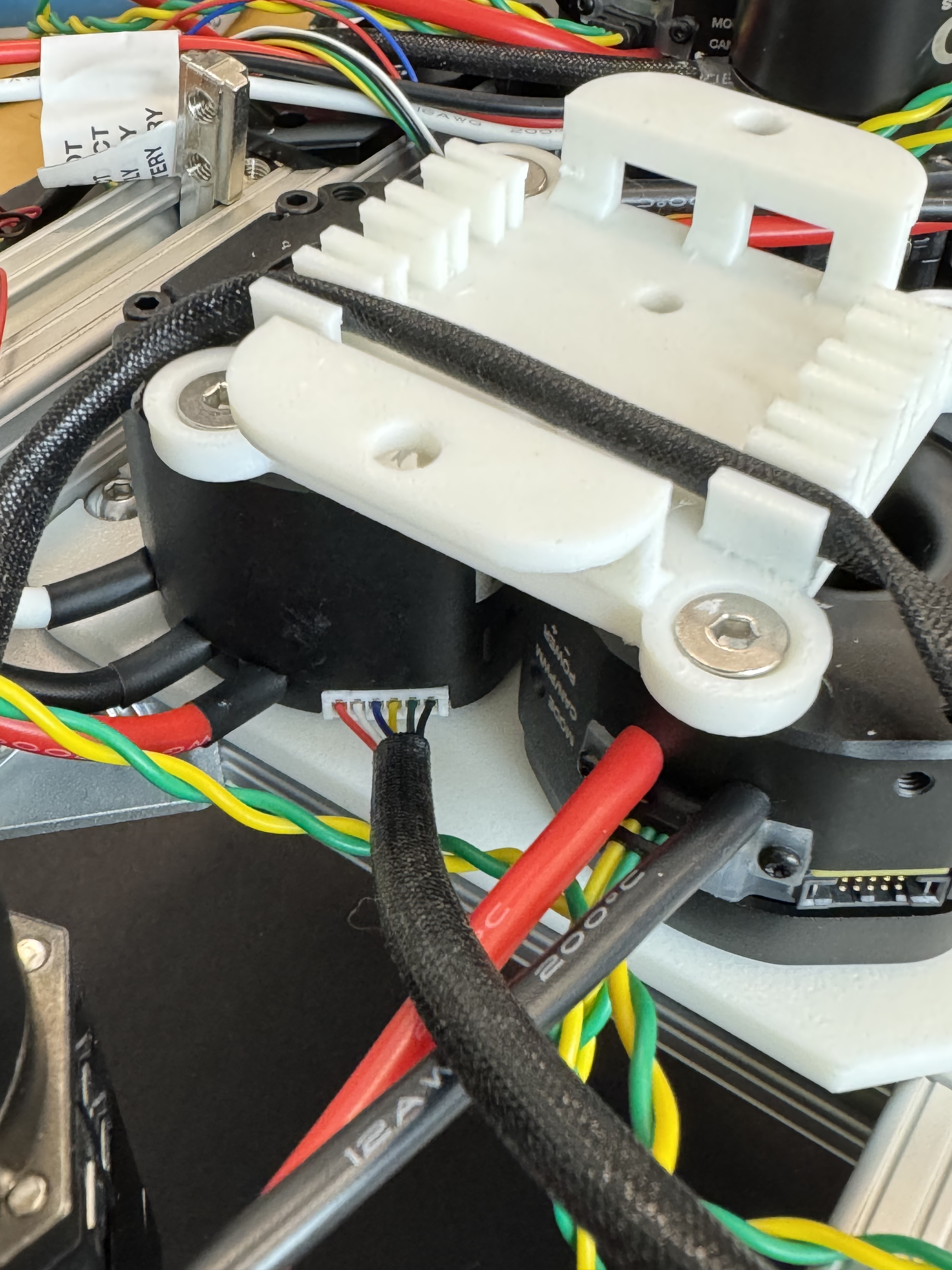
Route the encoder cable (the “bore encoder wire” coming from the main motor of the swerve drive).
Route the cable as shown in the reference image and plug it into the motor controller.
Step 3. Mounting the Buck Converter
Install the DC-DC converters on the buck converter mount. Mount the 24V, 6A buck converter on the right side and the 12V, 30A buck converter on the left side. Orient both converters so that their input and output wires face toward the inside of Yor.
Secure the assembly using M5 × 100 mm screws on both sides in the following order:
buck converter mount → buck converter → buck converter mount
These screws are just put in to secure it, there are no nuts on them.
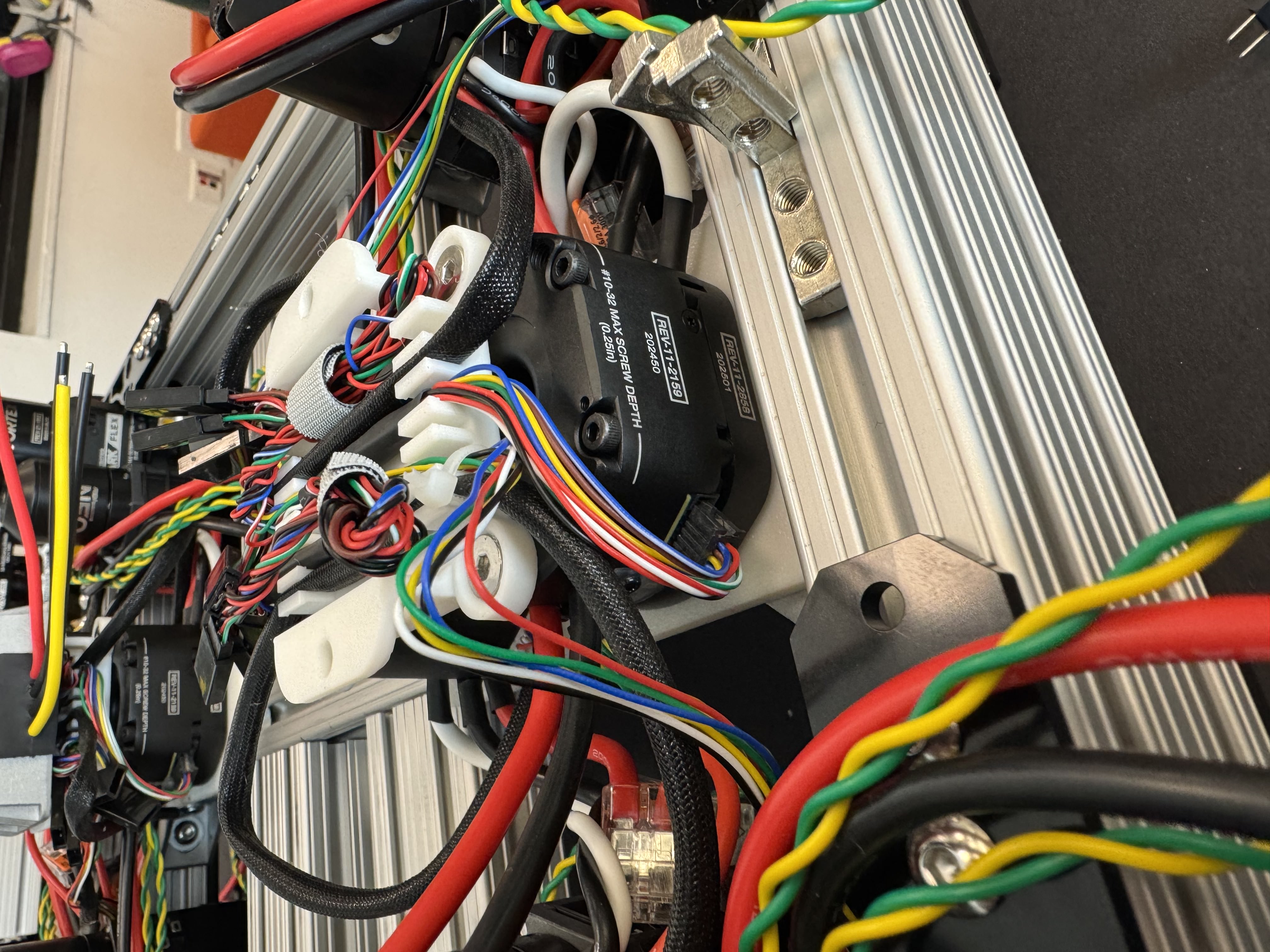
This is how we have routed our wires.
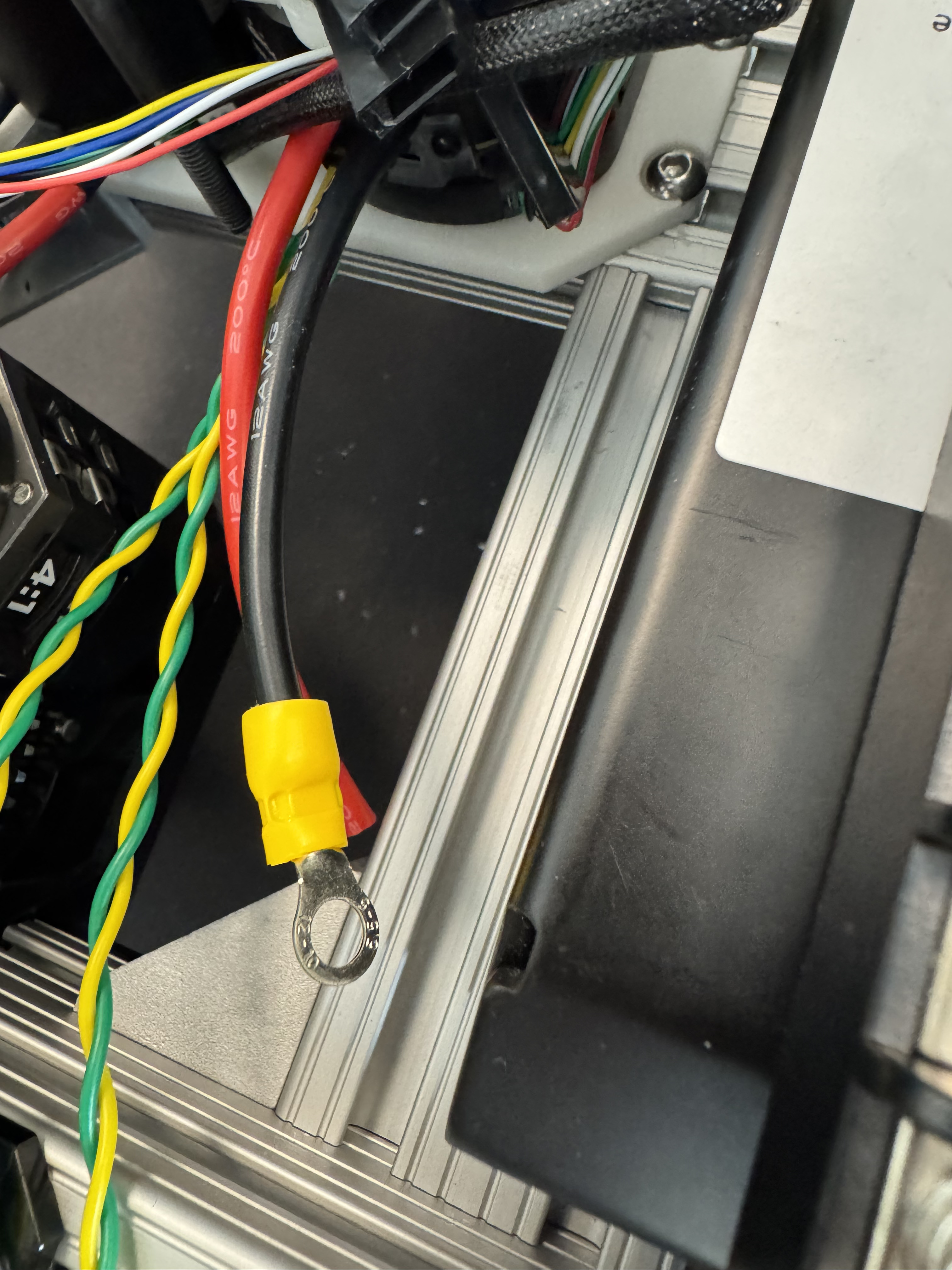
Now start stripping and crimping each wire from the 8 motors and motor controller (except the ones connected using the Wago connectors) with the appropriate gauge crimps.
Gently tug on each crimp to make sure it is properly secured.
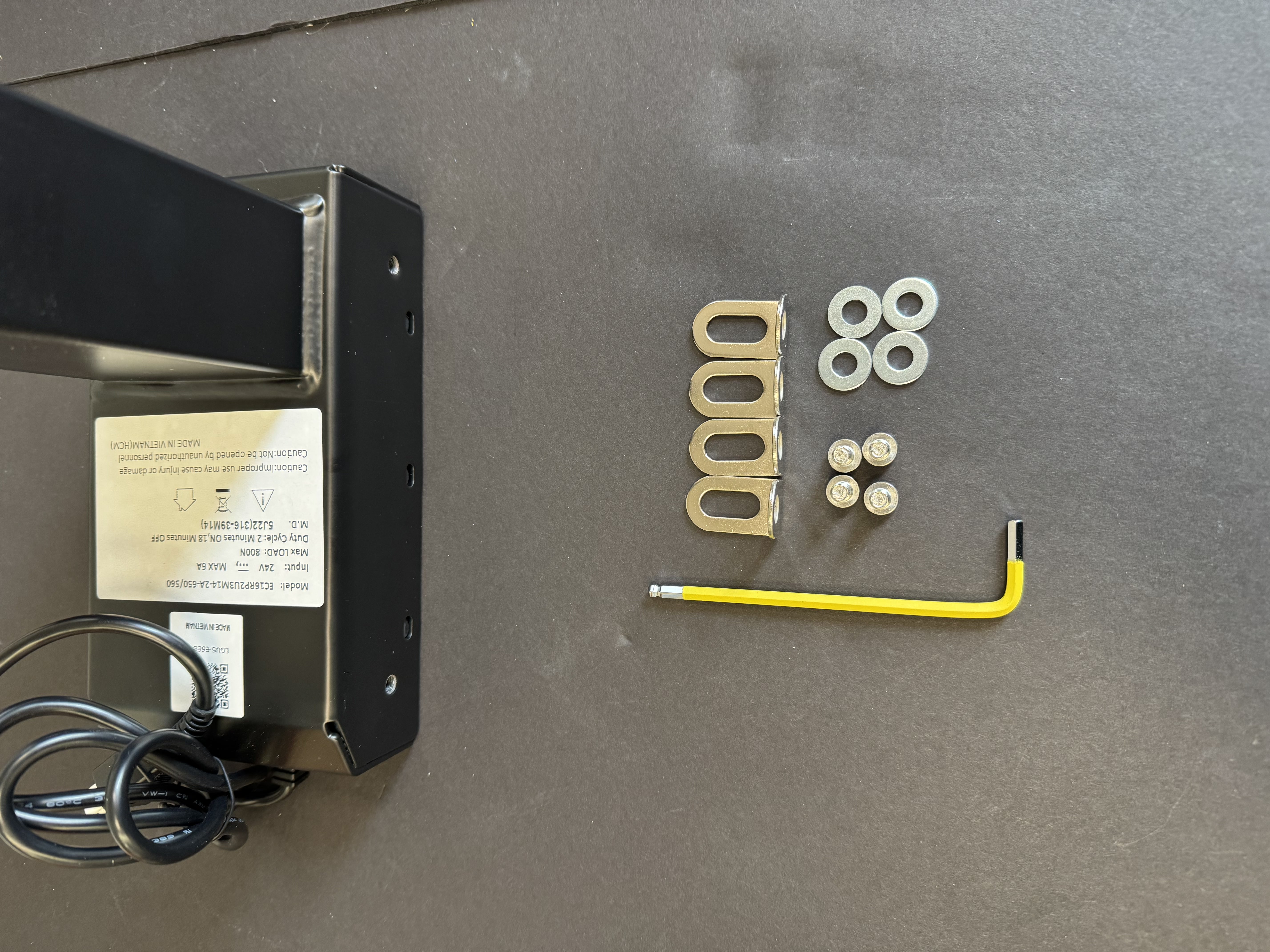
Note: Ignore the lift mounting steps if you have already mounted the lift.
Step 4. Mounting the Lift
To mount the lift, first prepare the lift assembly by attaching the 90-degree brackets using M6 × 10 mm hex screws and washers. Loosely tighten the screws at this stage to allow for alignment during mounting.
Screw the longer leg of the 90-degree bracket to the lift first, ensuring it is properly aligned with the lift frame.
Now use the M6 extrusion nuts that were inserted during the base assembly to mount the lift onto the base.
Place the lift onto the base and start threading four M6 10 mm hex screws into the pre-installed M6 extrusion nuts. Do not fully tighten the screws yet.
Push the lift forward in the direction indicated by the blue arrow in the reference image until it can no longer move.
Once the lift is fully seated, make sure it is square with the base, then fully tighten all four screws to secure the lift in place.
Step 5. Mounting the Remaining Buck Converters and Fuse box connections
Mount the 24V 6A converter, on the right side, on top of the 24V 6A converter, and mount the 5V 5A converter on the left side on top of the 12V 30A converter, you will need to use the 3D-printed mount plate.
Attach the fuse box to the lift using double-sided tape, as shown in the figure below.
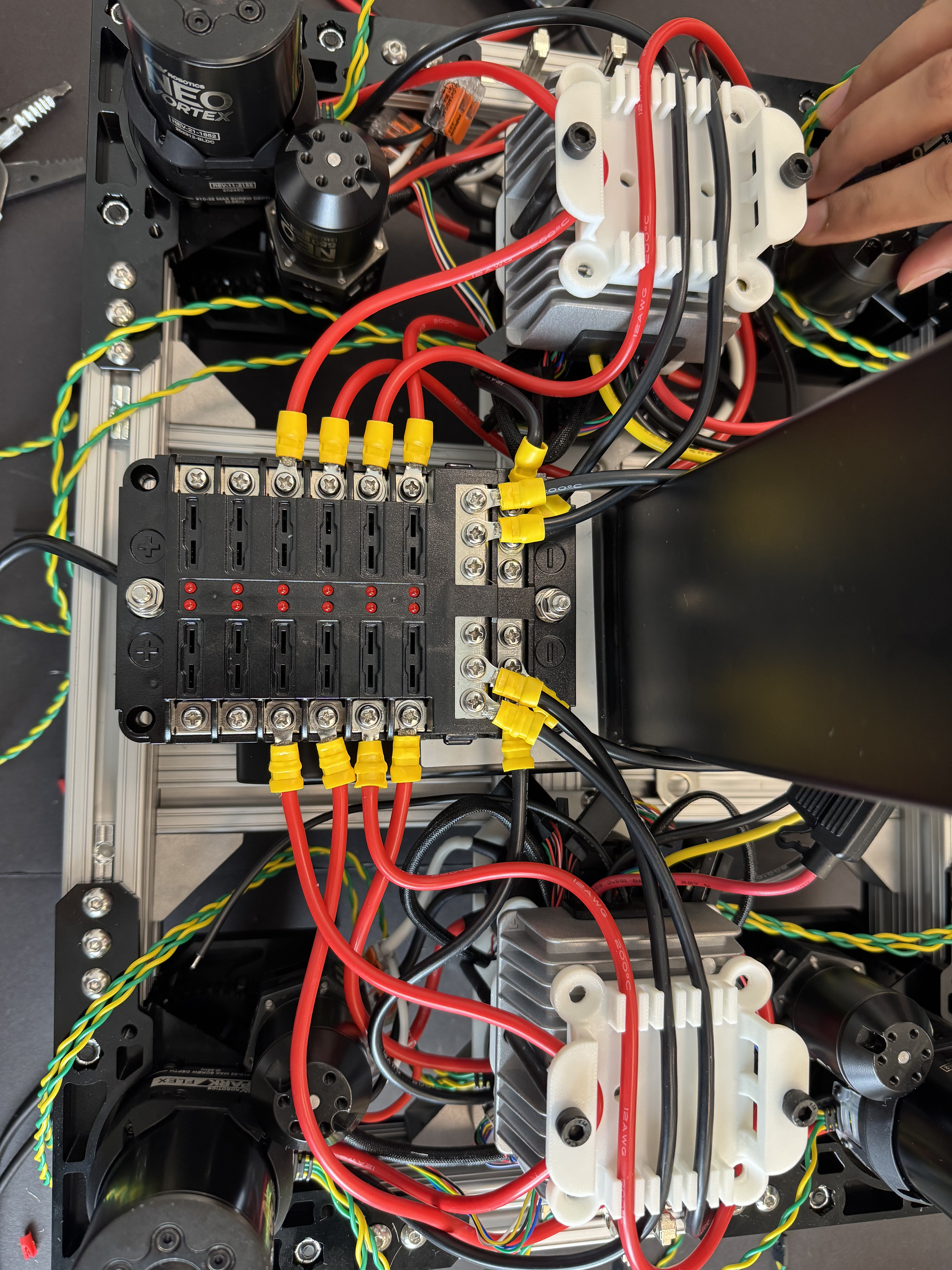
Connect the swerve drive motor controller output wires to the fuse box as shown in the reference image. You can route the wire through the 3D-printed buck converter mount, as shown in the reference image.
This wiring connection is reiterated in the subsequent wiring section for clarity.
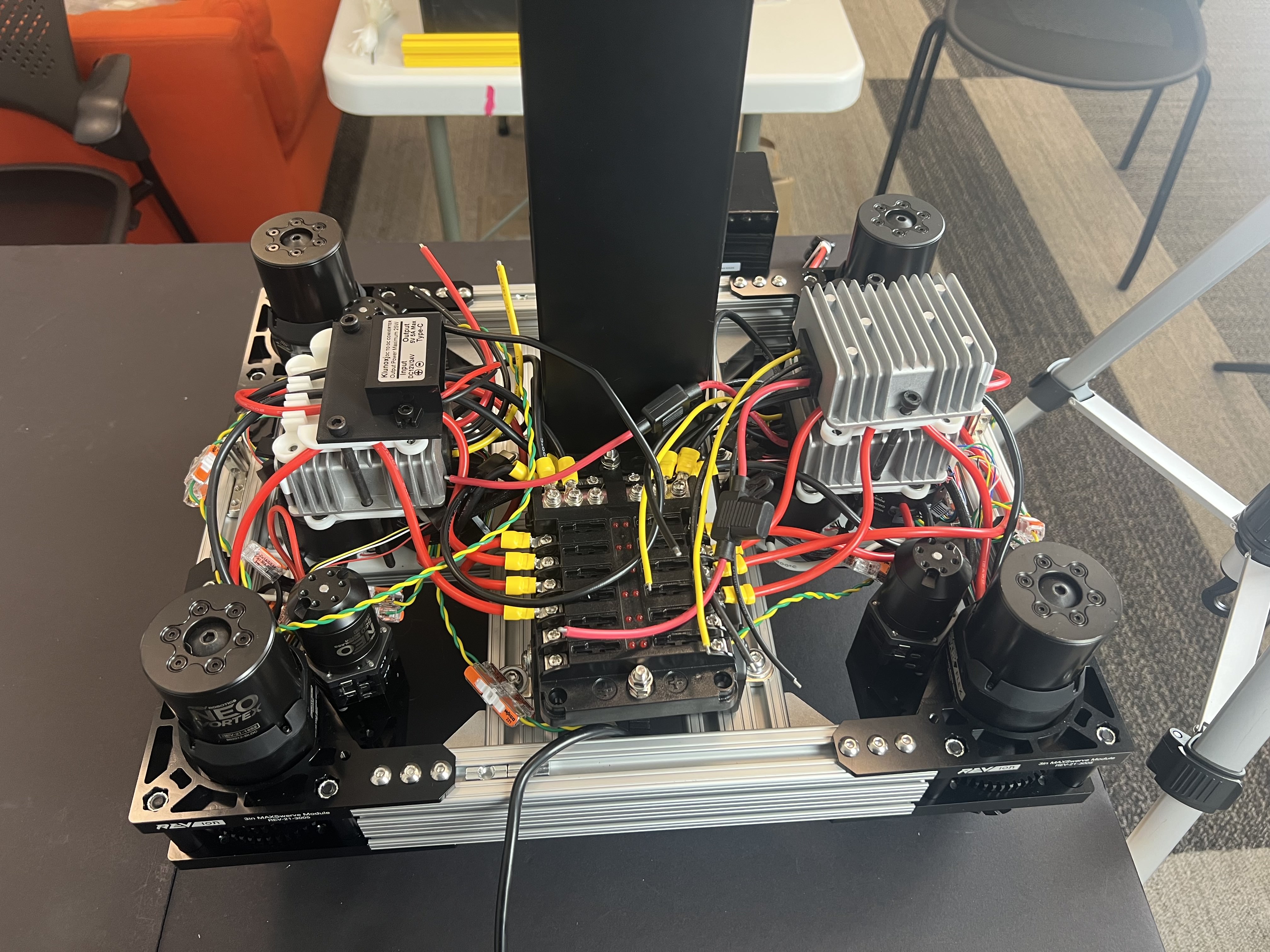
Final view of the base after installing the lift assembly and DC-DC buck converters.